

 By
By Digital Decluttering Tips That Will Instantly Simplify Your Life
“Proud Homemaker is part of several affiliate marketing programs, so we may earn commissions on products selected and purchased through our retailer links.”
I know what you’re thinking — “God, do we have to declutter digitally too?”
Well… yes, we kind of do. But don’t worry — this isn’t another boring tech chore. It’s actually a freeing, satisfying process that makes your daily life so much easier.
Think about it: we spend hours every day staring at screens — our phones, laptops, tablets — and we’re constantly dealing with overflowing inboxes, random screenshots, endless photos, and apps we don’t even remember downloading. It’s a lot.
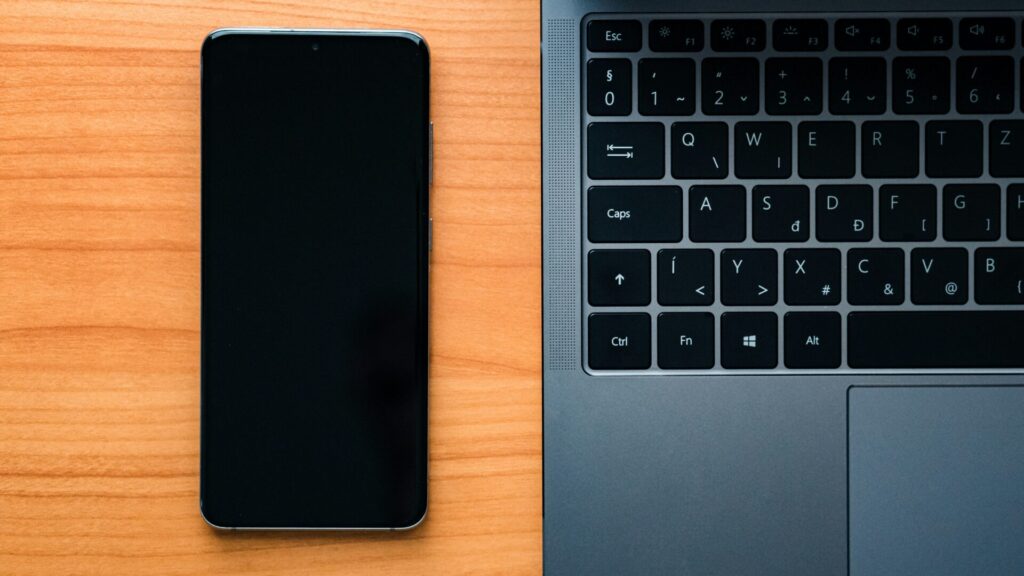
Digital clutter might not take up physical space like that messy kitchen drawer, but it definitely clogs up mental space. So today, I’m sharing my tried-and-true digital decluttering tips that will simplify your life instantly — no tech degree required.
Read also: Tech-Integrated Storage & Smart Organizing
Why You Should Care About Digital Decluttering
When I first started organizing my digital life, I realized how much time I wasted just looking for things — a photo, an old file, a recipe I saved, or that invoice I swore I kept “somewhere.”
Decluttering digitally isn’t about perfection; it’s about peace. Once you clear the digital mess, your mind feels lighter, your devices run smoothly, and your focus improves dramatically.
Plus, going paper-free and digital saves trees, money, and a ton of physical clutter (no more stacks of bills or printed notes lying around).
Step 1: Start With One Device at a Time
If you’re like me, you probably have a phone, a tablet, a laptop — maybe even a shared family computer. Trying to clean all of them in one go will overwhelm anyone.
Start small. Pick one device (say your phone) and dedicate 15–20 minutes a day. You’ll be surprised at how quickly the “mess” becomes manageable when you focus on one screen at a time.
Tip: Set a timer. The time limit keeps you from overthinking and forces progress.
Read also: Sustainable Storage Ideas You’ll Love
Step 2: Clear Out Those Apps You Don’t Use
Here’s a confession: I once had five photo editing apps. Five. And I only used one.
If that sounds familiar, it’s time for an app detox.
Go through your apps and ask:
- When was the last time I opened this?
- Does it make my life easier?
- Is it just taking up space?
If the answer to that last one is “yes,” delete it. Trust me, you’ll barely miss it.
Bonus tip: Move essential apps to your home screen and group similar ones together. Fewer icons = less distraction.
Step 3: Tidy Up Your Photos and Videos

Okay, this is the big one — photos. We all have thousands of them, mostly duplicates, screenshots, or random food pics. I used to scroll through my gallery and wonder why I had 15 nearly identical photos of my coffee.
Here’s what I did:
- Delete duplicates (apps like Gemini Photos help with this).
- Create albums for different categories — family, travel, recipes, etc.
- Back up your favorites to cloud storage or an external drive.
I like to do this once a month — it’s quick and stops things from piling up again.
Step 4: Organize Your Files and Folders
You know that moment when you need an important document right now, and you can’t find it? That used to be me — every single time.
Here’s what works:
- Create clear folder names (like “Home Bills,” “Work Projects,” “Kids’ School”).
- Use subfolders to separate by year or topic.
- Delete random downloads you don’t need — those pile up fast.
- Name files properly so you can find them later (e.g., Invoice_Jan2025.pdf instead of scan0001.pdf).
And yes, this sounds tedious, but once it’s done, your future self will thank you.
Step 5: Go Paper-Free — You’ll Love It
I used to keep piles of paper bills, receipts, and warranty cards — and half of them faded over time anyway. Going paper-free changed everything for me.
Try these simple swaps:
- Switch to digital billing and statements for utilities and banks.
- Scan important papers using your phone (apps like CamScanner or Adobe Scan).
- Store scanned copies securely in the cloud or a password-protected folder.
No more digging through drawers — everything you need is a quick search away.
Read also: 10 Practical Solutions for Old Books
Step 6: Declutter Your Inbox
Ah, the dreaded email inbox. I once had over 9,000 unread emails (don’t judge me).
Here’s how I tackled it:
- Unsubscribe from newsletters you never read. (You can use Unroll. Me for this.)
- Create folders for different categories (e.g., Work, Family, Shopping).
- Delete old promotions and expired offers.
- Mark important messages and archive the rest.
Then, try the “Inbox Zero” method — not necessarily keeping it empty all the time, but making sure every new email has a home or action plan.
Step 7: Tame Your Desktop
If your desktop looks like a digital junk drawer, you’re not alone. I’ve been there — dozens of icons everywhere, random screenshots, and files labeled “final_final_v3.”
What helps:
- Create just a few main folders — for example, Work, Personal, and Ongoing Projects.
- Move all loose files into the right folders.
- Choose a clean background — cluttered wallpapers only add visual noise.
The moment you open your computer to a calm, minimalist screen, it instantly puts you in a better mood.
Step 8: Clean Up Your Cloud Storage
Cloud storage is amazing, but it can also get messy fast. Old photos, duplicate files, and random uploads can eat up your space.
I do a quick cleanup every few months — delete what’s outdated, rename things properly, and make sure backups are up to date.
Pro tip: Have one dedicated cloud account for personal stuff and another for work. It keeps things neat and easy to find.
Step 9: Manage Your Social Media Clutter
Social media can be the sneakiest form of digital clutter — endless content, unnecessary follows, and constant notifications.
Here’s what I do:
- Unfollow accounts that no longer inspire you.
- Mute or remove groups that overwhelm your feed.
- Delete old posts if they don’t reflect who you are now.
- Turn off unnecessary notifications (you really don’t need to know every like).
A cleaner feed means a calmer mind — and more time for real life.
Read also: Declutter Your “Clothes Chair”
Step 10: Create a Digital Decluttering Routine
Decluttering isn’t a one-time event — it’s a habit. Just like tidying your home, your digital life needs regular upkeep.
Try this simple routine:
- Weekly: Delete unnecessary screenshots, organize downloads, and clear browser tabs.
- Monthly: Backup photos, check cloud storage, and clean email inbox.
- Quarterly: Review apps, update passwords, delete old accounts you don’t use.
Small, consistent efforts keep everything running smoothly — and prevent another “digital mess meltdown.”
Best Tools to Help You Declutter Digitally
Let’s be honest — digital decluttering sounds peaceful until you realize how much there is to sort through. Emails, photos, files, apps… it’s a lot! But here’s the good news — there are some fantastic tools that can do the heavy lifting for you. I’ve personally tried a few of these, and they honestly make the whole process a lot smoother (and less boring!).
For Cleaning Your Computer
If your laptop has started running slower than usual, tools like CleanMyMac X or CCleaner can help you get rid of system junk, old caches, and duplicate files in just a few clicks. Gemini 2 is another gem for Mac users — it automatically detects duplicate files and saves a ton of space.
For Managing Photos
Let’s face it — sorting through thousands of pictures manually is a nightmare. Google Photos is great because it automatically categorizes your pictures, detects duplicates, and backs them up securely. I also love Slidebox; it lets you swipe left or right to keep or delete photos, and it’s oddly satisfying!
For Cleaning Your Inbox
Email overload is real. If you’re drowning in unread messages, try Unroll.Me, which lists all your email subscriptions and lets you unsubscribe in seconds. Clean Email is another powerful one that organizes your inbox using smart filters — perfect if you’re dealing with both personal and work emails.
For File Organization
I like keeping things neat and easy to access, and that’s where Google Drive, Dropbox, and OneDrive come in handy. They keep your documents backed up, synced, and searchable. For notes, planners, or content ideas, Notion and Evernote are brilliant — like having your own personal digital workspace.
For Your Phone’s Storage
When your phone keeps showing that dreaded “Storage Almost Full” message, apps like Files by Google (for Android) and Smart Cleaner (for iPhone) can help. They detect unnecessary files, duplicates, and cached data that you can safely delete in minutes.
These tools don’t just clean up your digital mess — they help you stay organized long after you finish decluttering. And once you see how quick and easy they make it, you’ll actually start looking forward to your next cleanup session (well, almost!).
Why Digital Decluttering Feels So Good
Honestly, I didn’t realize how freeing it would be until I tried it. My devices felt faster, I could find anything in seconds, and my mind felt clearer.
It’s not just about deleting stuff — it’s about creating digital peace. Less chaos on your screen means less chaos in your head.
And the best part? Once you start, you’ll want to keep going.
FAQs About Digital Decluttering
1. How often should I do a digital declutter?
I recommend doing a mini declutter weekly and a full one every three months. It doesn’t have to be perfect — just enough to keep things manageable.
2. What if I’m afraid of deleting something important?
That’s totally normal! Create a folder called “To Review” and move doubtful files there. If you don’t touch them after a few months, it’s probably safe to delete.
3. How can I stay paper-free without losing important documents?
Scan and store them in secure cloud storage with two-factor authentication. For extra safety, keep a backup on an external hard drive.
4. Is digital decluttering only for work files?
Nope — it’s for everything! Photos, videos, social media, apps, and even browser bookmarks. The less clutter you have, the more focus you gain.
5. Can digital clutter really affect my mental health?
Absolutely. Studies show that clutter (physical or digital) increases stress and reduces focus. Cleaning up your digital world helps you think more clearly and feel more in control.
Final Thoughts
If you’ve been putting off digital decluttering, consider this your gentle nudge.
I used to think it sounded unnecessary — until I realized how much calmer and more organized I felt afterward.
Start small, stay consistent, and remember: every file you delete and every folder you tidy is one step closer to a simpler, stress-free life.
You don’t need to be tech-savvy — you just need to start.
So go ahead, grab that phone or laptop, and give your digital space the fresh start it deserves.
Was this article helpful? We’d love to hear your feedback, ideas, or any blog post requests you have—drop them in the comments below!


2 Comments